The store
Your kitchen, also beyond the dining room.
The same store that sells your gift cards sells your bread, your wine or your chocolates. Start with pickup, add home delivery when it suits you, and connect your carrier the day you need it. It comes included in your plan: not a cent more, and no commission per sale.
Pickup
They collect it at your counter.
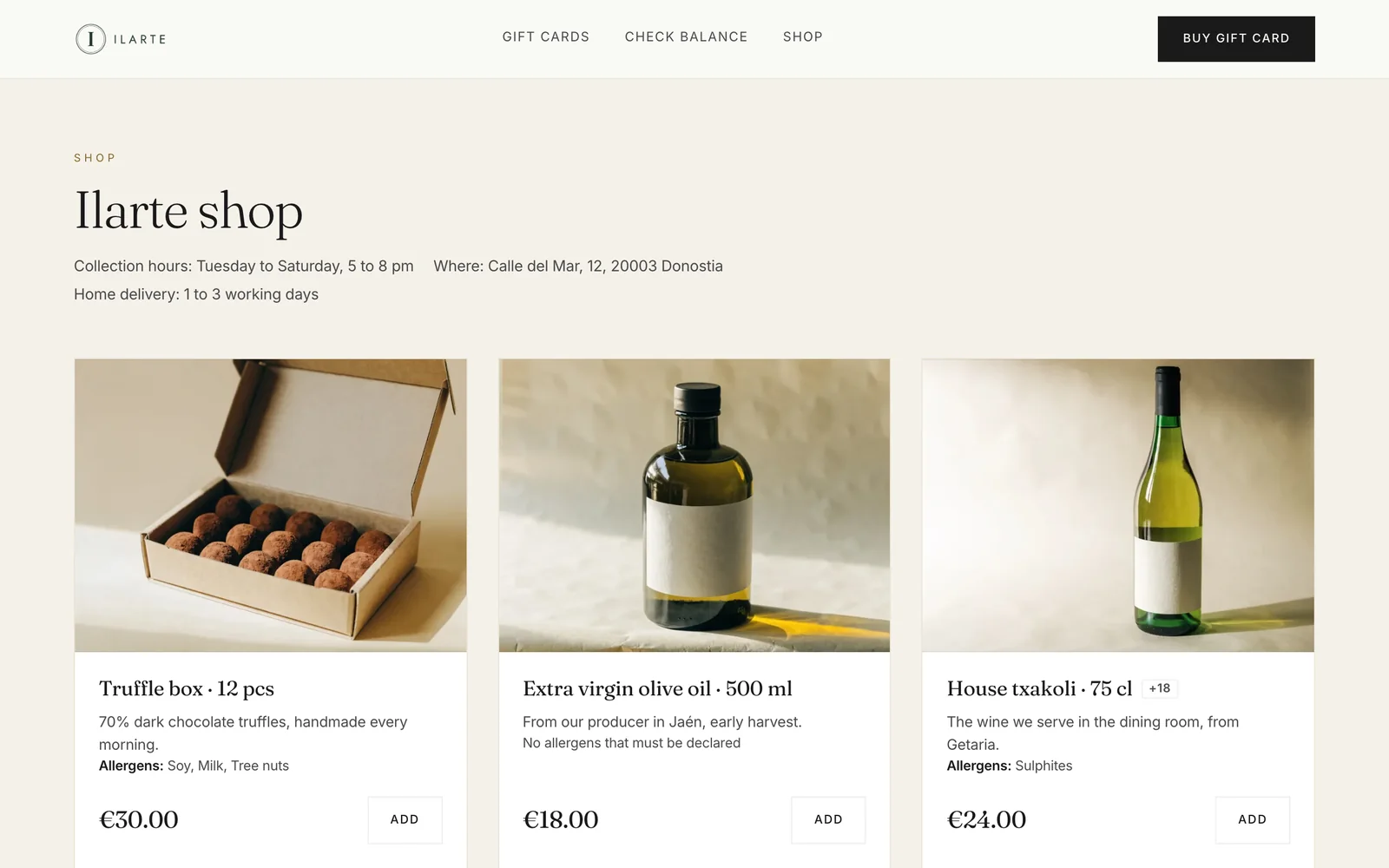
You add your products with their photo, price and description, choose the pickup days and hours, and how many units you put out each day. The customer pays in the store and comes by for the order; you see it in the dashboard and mark it as collected.
You decide how late an order can be cancelled free of charge, and how many days you hold an order nobody collects.
Pickup or delivery
Let the buyer choose.
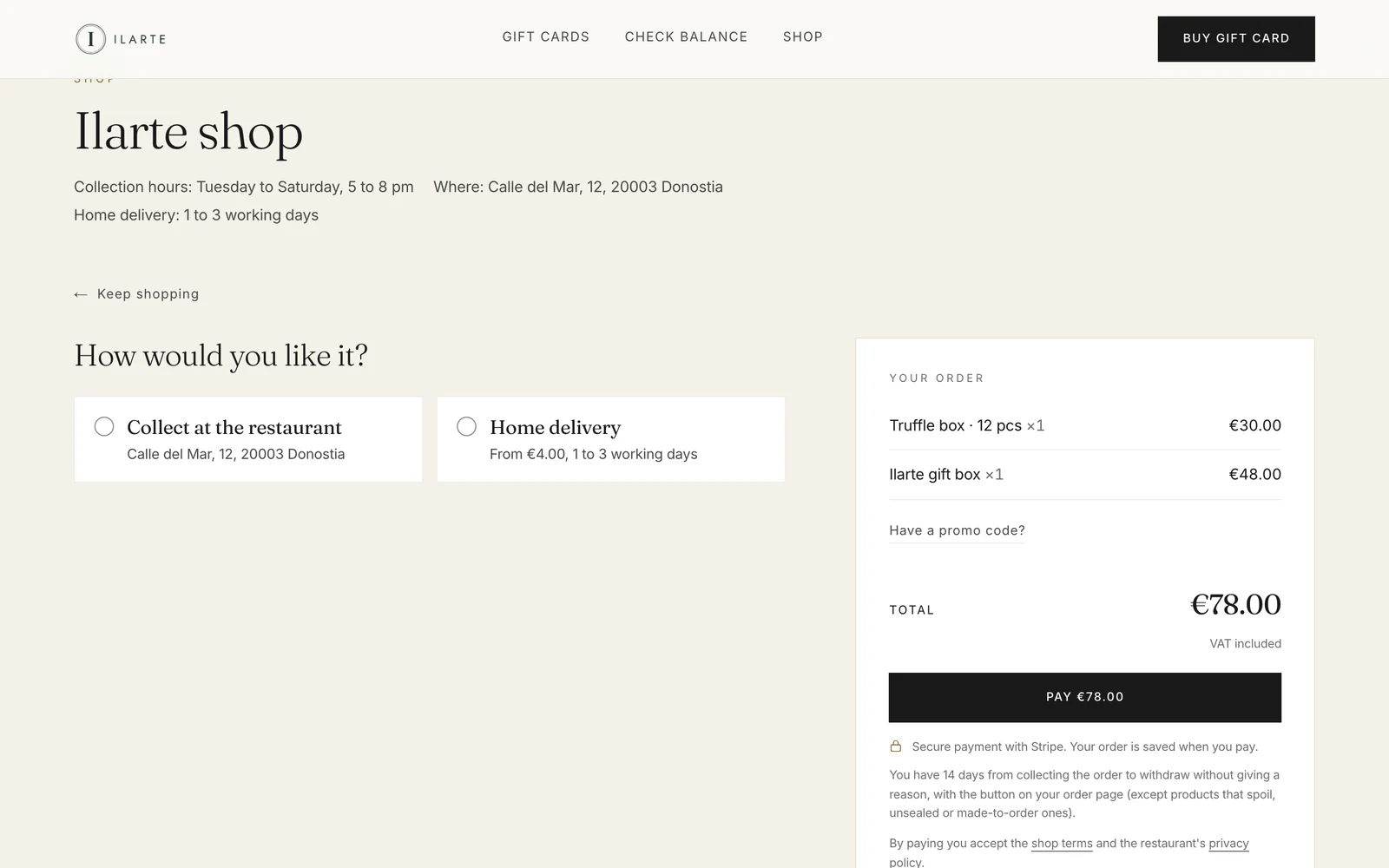
Each product can be offered for pickup, for delivery or both: the bread is collected only, the gift box travels. At checkout the customer picks how they want it and sees from the first moment what it costs to have it sent.
Products that are collection only are marked as such in the store, so nobody gets a surprise.
Delivery
Zones by postal code.
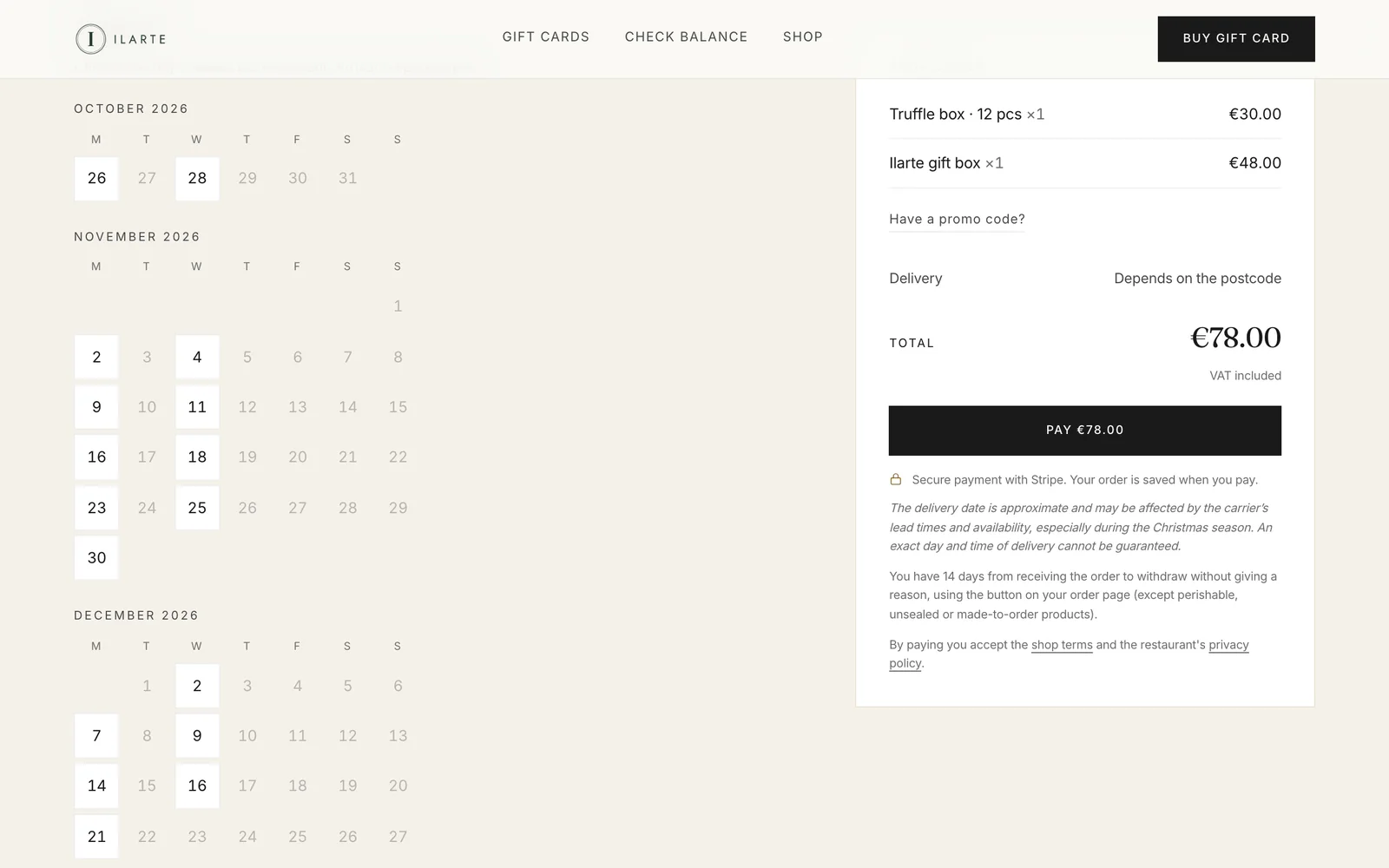
You define your zones with their postal codes, the price of each one and the amount from which it ships free. You say which days of the week the parcel leaves, how much notice you need and how long it takes to arrive; the customer types their postal code, sees their price and picks the day it leaves the restaurant.
If you sell a limited run, you open the pre-sale with its calendar and its unit cap.
Seasons and engraving
Sell in November what you hand over at Christmas.
Every product can have its own season: the dates it is on sale, and the dates it is collected or shipped. You put the Christmas hamper on sale in November and hand it over between 20 and 24 December, and on the 15th it withdraws itself from your shop without you having to remember. The customer sees when they will get it before adding it to the basket, and the days they can choose are still yours: a season never opens a day you are closed.
And if you sell something that can be personalised, you can offer engraving: a dedication, a symbol or a logo the customer uploads, each with its own price. Before engraving it you show them how it will look and they confirm it, because once it's engraved there is no going back.
Carrier
Your carrier, your account.
You need none to start: you can take the parcels yourself, as you do today. When you want it on autopilot, you connect your own Sendcloud (Europe) or ShipStation (56 countries) account from the dashboard, with a step-by-step guide. The labels for the day are created in one go, tracking arrives on its own, and the label can be emailed to whoever packs the parcels.
The catalogue lists 33 carriers and the rest are on the way. You pay the carrier yourself, from your own account: we take nothing from shipping.
What the law asks of you, handled.
Your VAT rates
Every product carries its own and the price already includes it. VAT on shipping follows the product and, when an order mixes rates, it is split in proportion.
Allergens are mandatory
A product without declared allergens is not put on sale. They show in the store, on the receipt and in the order email.
Right of withdrawal
The customer withdraws with one button from their order page, within the deadline and with the exceptions the law sets out.
Over 18s
Alcohol is flagged and a notice shows in the store and at checkout.
Your store's terms are yours to choose, and they travel in full on the receipt, in each customer's language.
And in your dashboard, business as usual.
- The day's orders, with what each one carries and when it is due.
- Refunds in full or in part, with an email to the customer in their language.
- The money, in your own Stripe account: 0% commission, in the store too.
- Txipi explains any step: it knows the whole manual.
Included in your plan.
The store is not paid for separately. It sits inside the same €59 a month as the gift cards (€49 per location from two), with a 14-day trial and no lock-in.
Start free